Milky, murky water
Low contrast, low saturation, mostly water-colored. Per-channel auto levels pull contrast apart and cool slightly to keep the blue; extra red and shadow lift are switched off so red isn't added twice.
 AquaRestore
Android 10+ · on-device color restoration
Water swallows red light first, so dive footage comes home blue-green and flat. AquaRestore analyses your videos and photos, recommends a correction and renders it live on the GPU, all on your phone.
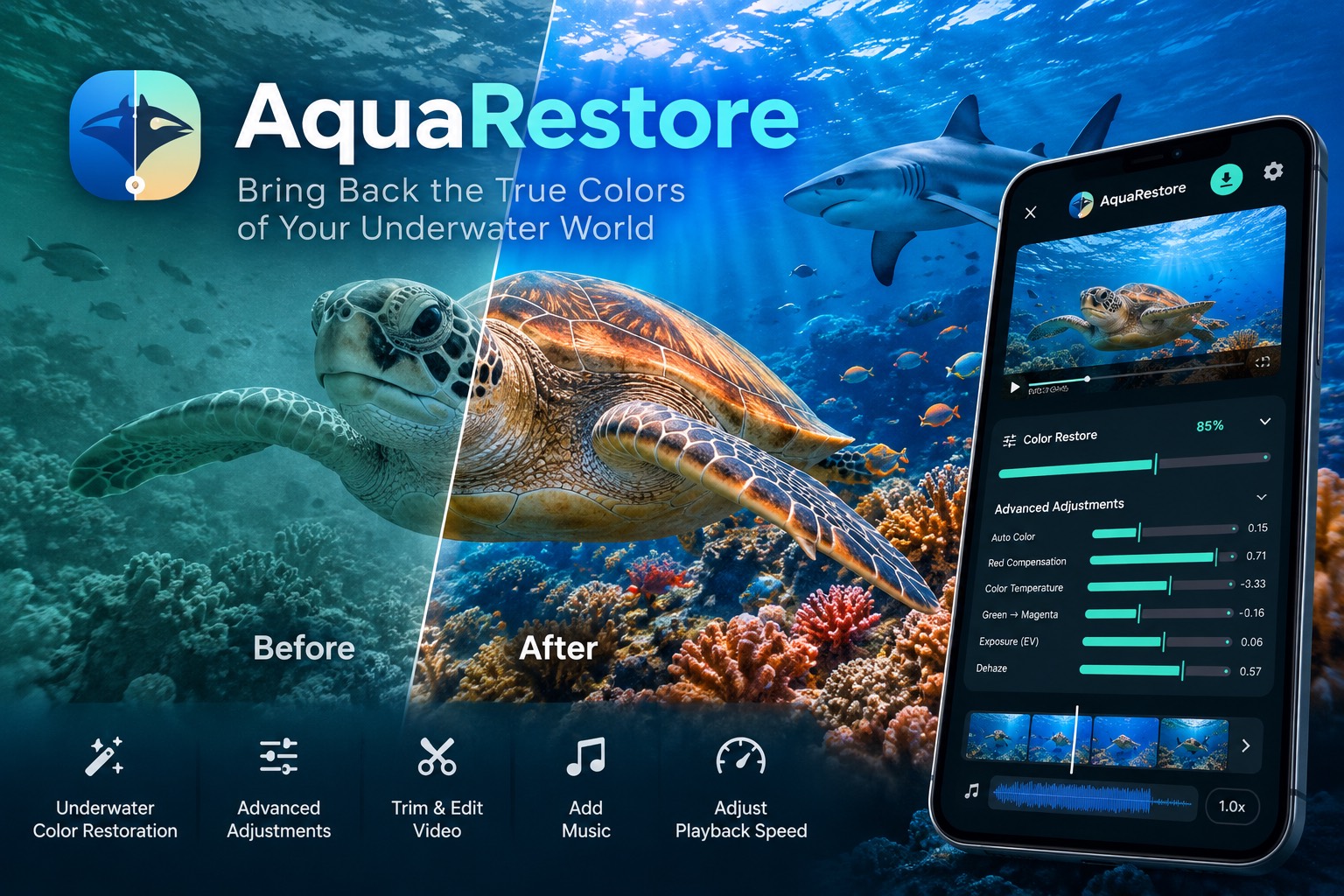
Press and hold to compare
Within the first few metres, water absorbs most red light and scatters the rest into haze. AquaRestore compensates red, rebalances white, lifts haze and opens up shadows, tuned to each clip rather than one fixed filter.
Drag the seam, just like holding Compare in the app to flash back to the original.
Demo: the "before" side here is a simulated color cast.
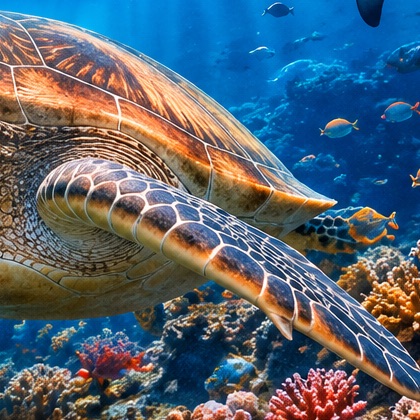 Before
After
Before
After
How it works
Pick a video or photo with the system file picker. No permission to read your whole gallery.
On-device color statistics recommend red compensation, white balance, exposure, dehaze and shadows.
Restore strength scales every parameter together: 0% is the original, 100% the base correction, up to 200%.
Trim on color-graded thumbnails, play at 0.5×–4× and mix in a soundtrack.
Original quality or a custom size, fps and quality, with a live file-size estimate. Runs in the background.
中文 / English and light / dark follow your system by default, and your choice is remembered.
Smart recommendations
No cloud and no generative model: just careful color statistics, computed on your phone.
Low contrast, low saturation, mostly water-colored. Per-channel auto levels pull contrast apart and cool slightly to keep the blue; extra red and shadow lift are switched off so red isn't added twice.
Red compensation and white balance stay on to bring warm tones back.
Shadows are lifted harder so detail survives the dark.
Features
One slider scales every correction proportionally, auto levels included. Photos and videos follow exactly the same rule.
Auto levels, red compensation, temperature, green/magenta, exposure, dehaze, contrast, saturation and shadows. Each shows the value actually applied at your current strength.
A light proxy (up to 960 px, about 30 fps) plays through hardware decoding and a single-pass GPU shader. Moving a slider only updates shader uniforms. Export always reads your original file.
The trim bar shows color-graded thumbnails of the whole clip. Set the start or end exactly at the playhead; preview loops inside the trim, and export and size estimates count only that range.
Slow down a manta pass or speed up a long drift. Speed applies to preview and export, and audio keeps its pitch.
See the song's waveform, drag a window that always matches your output length, and balance original sound and music separately. Short tracks loop.
HDR10/PQ and HLG are graded in FP16 / BT.2020, keeping highlights above 1.0, and exported as 10-bit HEVC with no silent SDR tone-mapping. Needs Android 13+ and a capable encoder.
Prepare, encode and save progress, cancel any time, and keep using your phone. A notification tells you when it's done.
The same color formula as video, with a 720 px live preview that always catches up to your latest slider position. Save as lossless PNG or JPEG.
Export
| Option | Video | Photo |
|---|---|---|
| Original | Source resolution, frame timestamps / variable frame rate and codec. Reuses the source bitrate (adjusted for speed); encoder downgrades are blocked. | Full size, lossless PNG |
| Custom size | Original, or long edge 3840 / 2560 / 1920 / 1280 / 960 / 640. Aspect kept, never upscaled. | Same |
| Custom fps | Original / 24 / 25 / 30 / 50 / 60, never above the source | n/a |
| Quality | Target bitrate 10–100%, with a live MB / GB estimate | JPEG 10–100%, or lossless PNG |
| Output | MP4: H.264 for SDR, 10-bit HEVC for HDR. Compatible audio is kept as is. | JPEG / PNG |
Exports go to Movies/AquaRestore or Pictures/AquaRestore. Files are written to temporary storage first and published through MediaStore; cancelled or failed exports are cleaned up.
Color analysis, live preview and export all run on your device.
Color correction always re-encodes video, so "Original" means original settings, not bit-identical. Colors the sea has fully absorbed can't be fully recovered.
Download
Grab the signed APK and SHA256SUMS from GitHub Releases, open it on your phone and allow Install unknown apps. Requires Android 10 or later.
Download APKKotlin, Jetpack Compose, Media3 and OpenGL ES. With Android SDK 36 and JDK 17, one script builds, tests and lints:
./scripts/build-android-debug.sh